
Convert a JPG to a DST file
From JPG to the universal embroidery file: compression cleanup, thread selection, calibrated underlay and density — plus a preview that sews the design before the machine does.
- Unlimited embroidery previews
- No credit card required
- Machine-ready file
DST is the format virtually every commercial machine reads (Tajima, Barudan, SWF…). Converting a JPG to DST isn't just tracing the image: the engine denoises the JPEG, reduces colors to a sensible thread palette and fills every shape with hatching whose density won't pierce the fabric.
A real DST file, stitch by stitch
Every example below is an actual conversion made by the Brode engine. Drag the handle: the source image on the left, the thread render of the downloaded DST file on the right.
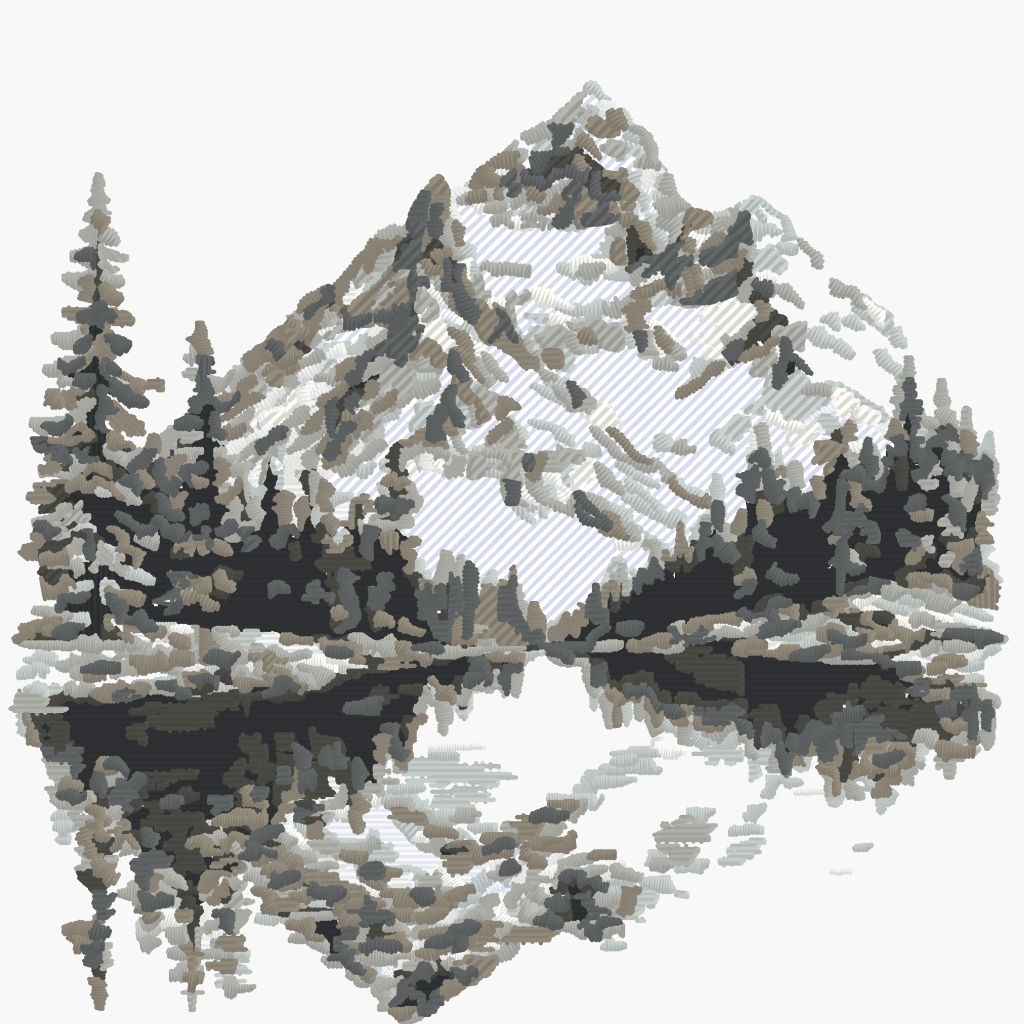 DST file
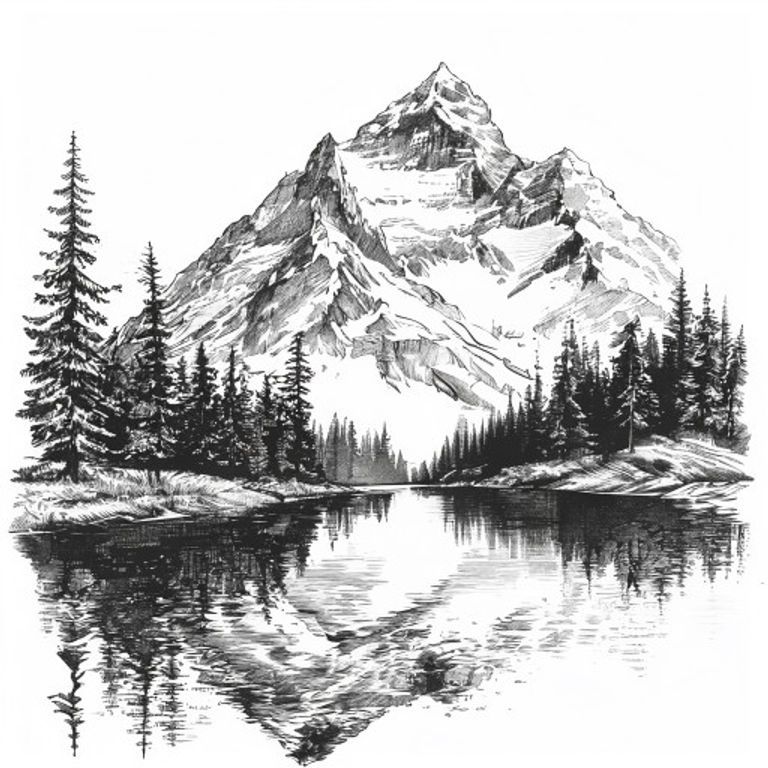 Source image
Stitch render of the machine file generated by Brode — same densities, underlay and threads as the downloaded file.
Watch the file sew
The simulator replays the exact needle trajectory of the DST file above — precisely what your machine will read.
- 1
Drop your JPG
Drag your image into the conversion area. A free account is all you need — no credit card.
- 2
Pick a detail level
Five cleanup levels (from faithful to minimal) tune colors and path fineness. Machine settings — density, angle, underlay — are already calibrated.
- 3
Download your DST
In a few minutes, get a machine-ready file — with a thread render preview before you stitch.
DST-compatible machines
DST (the Tajima format) is the most universal embroidery format: the default choice when in doubt about the machine that will read the file.
- Tajima
- Barudan
- SWF
- Happy
- Virtually all commercial machines
Brother, Babylock or Janome machine? The conversion also outputs PES, JEF and VP3 — from the same image, in the same interface.
A JPG that embroiders well
JPG is lossy compression: a few precautions keep compression artifacts out of your stitches.
- Export at maximum quality: every JPG re-save adds artifacts.
- At least 1000 px wide for the design — jagged edges become uneven stitches.
- A plain, light background cleans up better than a busy one.
- 4 to 8 colors: every extra shade adds a thread change.
- If you have the original PNG, prefer it: it's the ideal source.
Unlimited embroidery previews, no credit card
Create a free account in 30 seconds: free, unlimited embroidery previews (full stitch simulation), 5 vectorizations per month. The machine file unlocks at download, from €1.98.
Convert my imageA few minutes per conversion — sewing preview included.
What's the difference between JPG and PNG as a source?
JPG compresses with loss (artifacts around contours), PNG is lossless. Both convert: the engine cleans the JPG, but an original PNG always gives the crispest contours.
Can I convert a JPG to PES too?
Yes — the same conversion also outputs PES (Brother), JEF (Janome) and VP3 (Husqvarna/Pfaff), among other machine formats.
JPG or JPEG — same thing?
Yes: two file extensions for the same format, imported exactly the same way.
How do I avoid compression artifacts?
Start from the least-compressed file available (maximum quality on export) and at least 1000 px wide. The built-in denoising handles the rest.
Which machines read DST?
Tajima, Barudan, SWF, Happy… DST is read by virtually all commercial machines and most recent domestic ones: the format to pick when in doubt.
Does the DST file contain colors?
The DST format records color changes but not exact hues (a historical format limit). The Brode preview shows the chosen threads with their references, to guide bobbin setup.
Can I get a PES or JEF too?
Yes: the same conversion outputs PES (Brother/Babylock), JEF (Janome), VP3 (Husqvarna/Pfaff) and four other machine formats.
How does the free offer work?
A free account is enough, no credit card: every month, 5 vectorizations (SVG, PDF, EPS, DXF) and unlimited embroidery previews (DST, PES, JEF, VP3…). The machine file downloads from €1.98.
Tools and guides
Stitch simulator
Drop any embroidery file and watch it sew stitch by stitch — free, no account.
Try the simulatorConverting a PNG to DST: the guide
Formats, stitch density, mistakes to avoid — the complete guide to embroidery conversion.
Read the guideEmbroidery formats by brand
DST, PES, JEF, VP3: which machine reads which format, brand by brand.
Read the guideOther conversions
PNG → PES, JPG → DST, image → embroidery… all the Brode converter pages.
See all conversionsAlready have an embroidery file?
DST to PES, PES to JEF… the embroidery format converter rewrites an existing file for another machine — free, no account.
Ready to convert your first image?
5 free vectorizations every month and unlimited embroidery previews. No credit card required.